


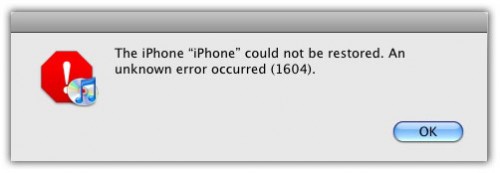
 ih8sn0w has released the iREB RC3 for iOS 4.2.1, 4.1.x and 4.0.x to fix following iTunes errors: 1604, 1601, 1600, 16xx etc while restoring custom iOS 4.2.1 or 4.x.x firmware.
 iREB RC3 puts you iPhone, iPad and iPod Touch into jailbreak mode, thus helps in bypassing iTunes error 1604, 1600, 1601 or 16xx. iREB RC3 also fixes the “Waiting for iBSS” issue with iPhone 3G.
iREB RC3 is available for Windows OS only which can be downloaded from below and it requires iTunes 10 or later. Mac version is almost ready as per the official web.
The iPhone “-” could not be restored. An unknown error occurred (16xx).
iREB RC3 Supports:
- iPhone 4, 3GS, 3G
- iPod Touch 4G, 3G, 2G
- iPad
- Apple TV 2G
Step 1: Start iTunes 10.x and put your iOS device into DFU mode: Press and hold the Home button and the Power button at the same time. After exactly 10 seconds release the Power button. Continue holding the home button until you iTunes pops up a message telling you that it has detected an iPhone in recovery mode. At this point your iPhone/iPod touch screen will remain black.
Step 2: Now close iTunes and Start iREB on Windows.

Step 4: Now start iTunes again and select your iOS device from the sidebar in iTunes. Now press and hold left “alt” button (“Shift” button on Windows) on the keyboard and then click on “Restore” (Not “Update”) button in the iTunes and then release the “Shift” button. Select the required custom .ipsw file and restore it. That’s it! iTunes should now be able to restore your iPhone or iPod touch without any problems. Hopefully you wont get any errors this time around!
Please note that iREB is NOT a jailbreaking utility but it aids in jailbreaking iPhone or iPod Touch.
Download iReb R3 here:
sponsored links


